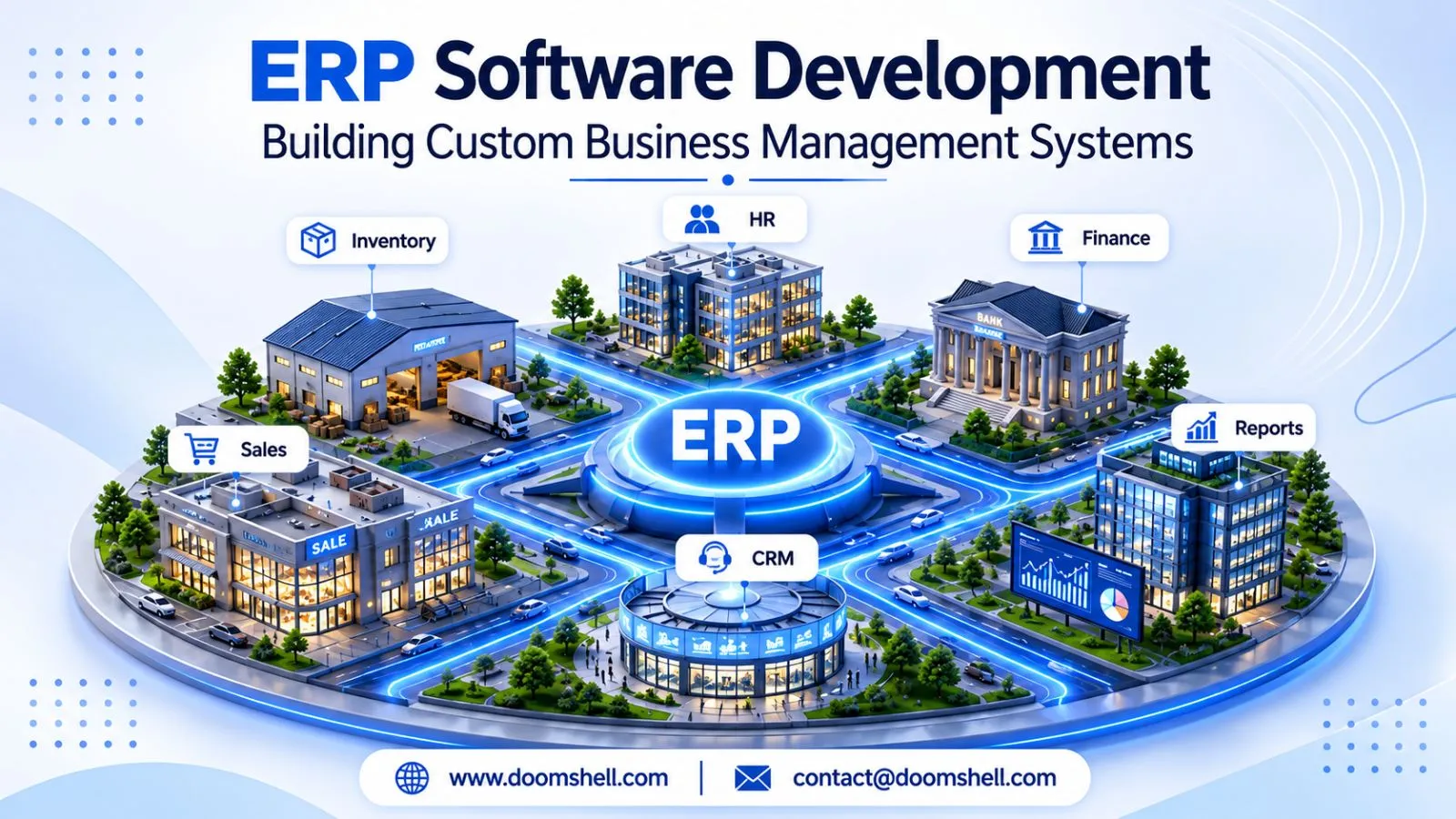
ERP software development is helping businesses manage complex operations through centralized digital platforms that connect finance, human resources, inventory, sales, procurement, and other business functions. Instead of maintaining separate applications and spreadsheets for every department, organizations can use a customized enterprise resource planning system to manage information and workflows from one connected environment.
In 2026, businesses increasingly expect ERP platforms to offer real-time reporting, intelligent automation, flexible integrations, and secure access across departments. Modern systems are also moving toward modular architectures, cloud-based infrastructure, and AI-assisted business operations. These developments make ERP more than an administrative tool; it becomes an important foundation for business planning and operational efficiency.
For organizations looking for an ERP software development company in India, choosing the right framework and architecture is essential. Yii, a high-performance PHP framework, provides useful capabilities for developing structured business applications, managing database operations, implementing access controls, and building REST APIs.
A well-designed ERP platform should reflect actual business processes rather than forcing every department to follow an inflexible workflow. From employee permissions to financial reporting, each component should work together while remaining manageable and adaptable as the organization grows.
This article explains how Yii can support custom ERP development, workflow automation, reporting, and enterprise integrations to build reliable business management systems.
Developing Centralized Business Management Platforms
A centralized business management platform connects different departments through shared information and coordinated processes. It reduces disconnected data, improves operational visibility, and helps employees access the information required for their responsibilities.
Building Custom ERP Modules With Yii
Every business has different operational requirements. A manufacturing company may need production planning and raw material management, while a service business may prioritize project tracking, employee allocation, invoicing, and customer management.
Custom ERP modules allow organizations to build functionality around these specific requirements instead of relying entirely on generic software features.
Yii is a PHP framework designed for developing structured web applications. Its Model-View-Controller architecture, database access capabilities, reusable components, and security features make it suitable for building modular business applications.
A Yii-based ERP platform can include modules such as:
-
Finance and accounting management.
-
Human resource and employee management.
-
Inventory and warehouse management.
-
Sales and customer relationship management.
-
Purchase and supplier management.
-
Project and task management.
-
Production and operational management.
Each module can manage its own responsibilities while sharing relevant information with other departments. For example, a confirmed sales order can update inventory records and generate information required by the finance department.
A modular approach also makes future upgrades easier. Businesses can introduce additional functionality as their operational requirements change without redesigning the complete platform.
Managing Users and Business Roles With Yii
An ERP system may be accessed by employees, department managers, finance teams, administrators, and senior management. Each user requires different permissions based on their responsibilities.
Role-based access control (RBAC) helps define which users can view, create, update, approve, or delete specific records. Yii provides authorization capabilities that can be used to organize these permissions through roles, rules, and access relationships.
For example, a purchase executive may create purchase requests, while a department manager reviews them and a finance manager approves payments. Each action can be restricted according to the organization's approval structure.
Important access management capabilities include:
-
Role-based permissions.
-
Department-specific data access.
-
Secure authentication and session management.
-
Multi-level approval authorization.
-
Activity logs and user accountability.
-
Controlled access to sensitive financial information.
Access permissions should be checked on the server side rather than relying only on interface visibility. Businesses should also review user access regularly, especially when employees change departments or leave the organization.
These practices help protect business information and create a more accountable ERP environment.
Creating Department-Wise Management Dashboards
Department-wise dashboards provide employees and managers with a focused view of business activities. Instead of searching through multiple reports, users can access relevant information through a centralized interface.
For example, a sales dashboard may display leads, quotations, confirmed orders, and sales performance. An inventory dashboard can show available stock, low-stock alerts, pending purchases, and warehouse movements.
Management dashboards can combine information from different modules to present an overall view of business performance.
A useful dashboard may include:
-
Department-specific performance indicators.
-
Pending tasks and approval requests.
-
Financial and operational summaries.
-
Inventory and sales trends.
-
Employee activity and workload.
-
Notifications for important business events.
Yii can provide the backend logic and database connectivity required to retrieve and organize this information. Frontend charting and visualization libraries can then display the data through interactive dashboards.
Dashboard design should prioritize clarity and relevance. Showing too many metrics can make decision-making difficult, so information should be organized according to the user's role and actual responsibilities.
Automating Business Workflows
Manual business processes often involve repeated data entry, email communication, document movement, and approval requests. ERP workflow automation connects these activities through predefined rules, helping organizations reduce administrative effort and maintain consistent operations.
Automating Approval Processes With Yii
Approval workflows are common in finance, procurement, human resources, and administration. Businesses may require approvals for purchase requests, employee leave, expense claims, vendor payments, or internal resource allocation.
A Yii-based ERP application can automate these processes by defining approval levels, conditions, responsible users, and status transitions.
For example, an employee can submit an expense request through the ERP portal. The system forwards it to the appropriate manager, records the decision, and sends it to finance when additional approval is required.
Important workflow capabilities include:
-
Configurable approval hierarchies.
-
Automatic request assignment.
-
Approval and rejection notifications.
-
Escalation for delayed requests.
-
Document and comment attachments.
-
Complete approval history.
Approval rules should reflect the organization's financial limits and operational policies. For instance, a small expense may require one manager's approval, while a larger purchase may require multiple authorization levels.
Automated workflows reduce unnecessary communication and make it easier to identify pending requests.
Creating Custom Workflow Management Systems
Every organization follows a different sequence of activities to complete its work. A custom workflow management system helps businesses represent these processes digitally and track their progress from initiation to completion.
For example, a sales workflow may begin with lead registration, followed by quotation creation, customer approval, order confirmation, and invoice generation. An HR workflow may include employee onboarding, document verification, department allocation, and training assignment.
Custom workflows can be developed using Yii models, controllers, database relationships, and reusable business rules.
A well-designed workflow system should support:
-
Defined process stages and transitions.
-
Automatic task allocation.
-
Role-based actions and permissions.
-
Status tracking and progress monitoring.
-
Notifications and reminders.
-
Exception handling for unusual situations.
In 2026, businesses are also exploring low-code workflow configuration and AI-assisted process management. These capabilities can help employees interact with business systems more efficiently, but important business rules should remain controlled and auditable.
Organizations should begin by automating repetitive, well-defined processes rather than attempting to automate every activity simultaneously. This makes implementation easier to test and measure.
Using Yii for Background Business Operations
Not every ERP operation needs to be completed while a user is waiting on a screen. Tasks such as generating reports, sending bulk notifications, importing records, and synchronizing external systems can run in the background.
Yii supports background processing through console applications and integration with queue systems. This allows developers to separate lengthy operations from customer-facing or employee-facing requests.
For example, when an organization imports thousands of inventory records, the ERP system can process the file through background jobs rather than keeping the browser request active.
Background processing can support:
-
Scheduled report generation.
-
Bulk employee or product imports.
-
Automated email notifications.
-
Inventory synchronization.
-
Recurring financial calculations.
-
Data backup and maintenance tasks.
Queue systems can also help manage retries and failed jobs. Developers should implement job monitoring and error logging so that unsuccessful operations can be identified and resolved.
Separating background work from regular application requests improves responsiveness and supports more efficient ERP operations.
Building Reporting and Analytics Modules
Business reporting transforms operational records into useful information for planning, performance measurement, and management decisions. A well-designed ERP reporting module helps organizations understand what is happening across departments without depending on disconnected spreadsheets.
Creating Business Reports With Yii
ERP reporting modules collect information from different business functions and present it in structured formats. They help management teams monitor financial performance, employee activities, sales results, purchasing operations, and inventory movements.
Yii can connect reporting components with relational databases and retrieve information through optimized queries. Developers can create customized reports according to business requirements and user permissions.
Common ERP reports include:
-
Sales and revenue performance reports.
-
Purchase and supplier reports.
-
Employee attendance and payroll summaries.
-
Inventory and stock movement reports.
-
Expense and financial summaries.
-
Project progress and operational reports.
Reports can support date filters, department selection, export options, and scheduled delivery. For example, a management team may receive a monthly performance summary, while an inventory manager accesses daily stock movement reports.
Accuracy is particularly important in financial and operational reporting. Reports should use consistent business definitions and validated source records so different departments do not calculate the same performance metric differently.
Building Interactive Management Dashboards
Interactive management dashboards make business information easier to understand by presenting key metrics through charts, tables, visual indicators, and filters.
Instead of reviewing lengthy reports, decision-makers can identify important changes and investigate specific areas directly from the dashboard.
A sales dashboard might display monthly revenue, order conversion, sales targets, and regional performance. A finance dashboard may focus on outstanding invoices, expenses, cash flow, and payment status.
Modern dashboards can also include:
-
Real-time or scheduled data updates.
-
Department-wise performance comparisons.
-
Drill-down views for detailed records.
-
Custom date and category filters.
-
Visual alerts for unusual performance.
-
Role-based dashboard configurations.
In 2026, embedded analytics and AI-assisted reporting are becoming increasingly relevant to ERP platforms. Employees can use natural-language interfaces to explore approved business information, while predictive analytics can help identify possible changes in demand, expenses, or operational performance.
However, automated insights should be based on reliable data and clearly defined business metrics. Management users should be able to verify the underlying information before making important decisions.
Optimizing Data-Heavy Reports With Yii Caching
Large ERP databases can contain extensive transaction histories, employee records, purchase details, and inventory information. Generating complex reports repeatedly may increase database load and slow down application performance.
Yii provides caching capabilities that can reduce unnecessary processing by temporarily storing frequently requested results.
For example, a monthly sales summary may not need to be recalculated every time a manager opens the dashboard. The application can retrieve a previously generated result and refresh it according to the reporting requirements.
Useful performance techniques include:
-
Query optimization and database indexing.
-
Caching frequently accessed report results.
-
Pagination for large datasets.
-
Background generation of complex reports.
-
Efficient data aggregation.
-
Monitoring slow database queries.
Caching must be implemented carefully when business information changes frequently. Financial balances, inventory availability, and approval statuses may require immediate updates or shorter cache lifetimes.
Developers should also ensure that cached results respect user permissions. Sensitive information must never become accessible to unauthorized users through shared cached data.
Combining database optimization with appropriate caching strategies helps ERP applications deliver reports efficiently as business data grows.
Integrating ERP With Business Applications
Modern businesses use several specialized applications for communication, accounting, sales, customer management, payments, and operations. ERP API integration connects these systems and allows relevant information to move between applications through controlled interfaces.
Developing REST APIs With Yii
REST APIs allow different applications to communicate using standardized HTTP requests and structured data formats such as JSON. They are useful when an ERP platform needs to connect with websites, mobile applications, external services, or separate business systems.
Yii supports RESTful API development through its framework capabilities, including controllers, request handling, response formatting, and authentication integrations.
A Yii-based ERP API can provide endpoints for:
-
Customer and supplier records.
-
Product and inventory information.
-
Sales and purchase orders.
-
Employee and department details.
-
Invoice and payment information.
-
Reporting and business metrics.
API development should include authentication, authorization, request validation, rate limiting, and proper error handling.
Versioning is also important. When an ERP API changes, existing connected applications should continue working until they can be updated to the newer version.
Clear API documentation makes integration easier for development teams and reduces communication problems when new systems are introduced.
Connecting ERP With CRM and Accounting Systems
ERP and CRM systems serve different but connected business purposes. CRM applications focus on customer relationships, leads, sales activities, and communication, while ERP platforms manage internal operations, resources, finance, and transactions.
Connecting these systems helps businesses maintain consistent information throughout the customer lifecycle.
For example, when a sales team converts a lead into a confirmed customer, relevant details can be synchronized with the ERP platform. The finance department can then access the customer record for invoicing, while operations teams can process the associated order.
Accounting integrations can also synchronize invoices, payment records, expenses, and financial transactions.
Important integration considerations include:
-
Consistent customer and vendor identifiers.
-
Automated record synchronization.
-
Duplicate record prevention.
-
Accurate invoice and payment updates.
-
Secure access to financial information.
-
Error handling and synchronization logs.
Businesses should define which application owns each type of information. This prevents conflicting updates when multiple systems contain similar records.
A well-connected architecture reduces repetitive data entry and provides better visibility into customer relationships and financial activities.
Building Scalable Yii-Based Enterprise Integrations
As organizations grow, their ERP systems may need to connect with additional applications, cloud services, mobile platforms, and external business partners.
A scalable integration architecture makes it possible to introduce these connections without making the central ERP application unnecessarily complex.
Developers can use modular integration services, REST APIs, background queues, and event-driven communication to manage different workloads.
For example, an ERP platform may receive orders from an e-commerce website, synchronize customer details with a CRM, and send invoice information to an accounting application. Each integration can operate through defined interfaces and controlled data exchange rules.
In 2026, composable ERP architecture is gaining importance because businesses want to add or replace individual capabilities without rebuilding their entire business management platform. API-first design and modular services support this approach. AI agents are also beginning to assist with selected enterprise workflows, but their access and actions must remain governed by established business rules.
Scalability also requires attention to security, infrastructure, and data consistency. Organizations should implement encrypted communication, controlled API credentials, audit logs, integration monitoring, and recovery mechanisms.
A flexible integration layer helps businesses expand their digital ecosystem while keeping the ERP platform maintainable and reliable.
Conclusion: Building Future-Ready Business Management Systems
ERP software development enables businesses to bring departments, workflows, reporting, and external applications together through a centralized management platform. Yii provides a flexible foundation for developing custom ERP modules, role-based access systems, workflow automation, reporting dashboards, and REST API integrations. In 2026, modular ERP architecture, cloud infrastructure, embedded analytics, and AI-assisted automation are creating new opportunities for improving business operations. Organizations looking to build or customize these platforms can work with an experienced Yii Developer in India to develop scalable solutions. They should prioritize reliable data management, secure integrations, and flexible architecture to build ERP systems that adapt to changing business requirements.
Doomshell Software Pvt. Ltd. provides custom software development, enterprise application development, web development, and business automation solutions. The company focuses on developing technology platforms that help businesses streamline operations, connect applications, and improve workflow efficiency. Its software development capabilities support customized business applications, API integrations, and scalable digital solutions based on organizational requirements. As an IT company, Doomshell helps businesses transform their operational requirements into practical and growth-oriented technology solutions.