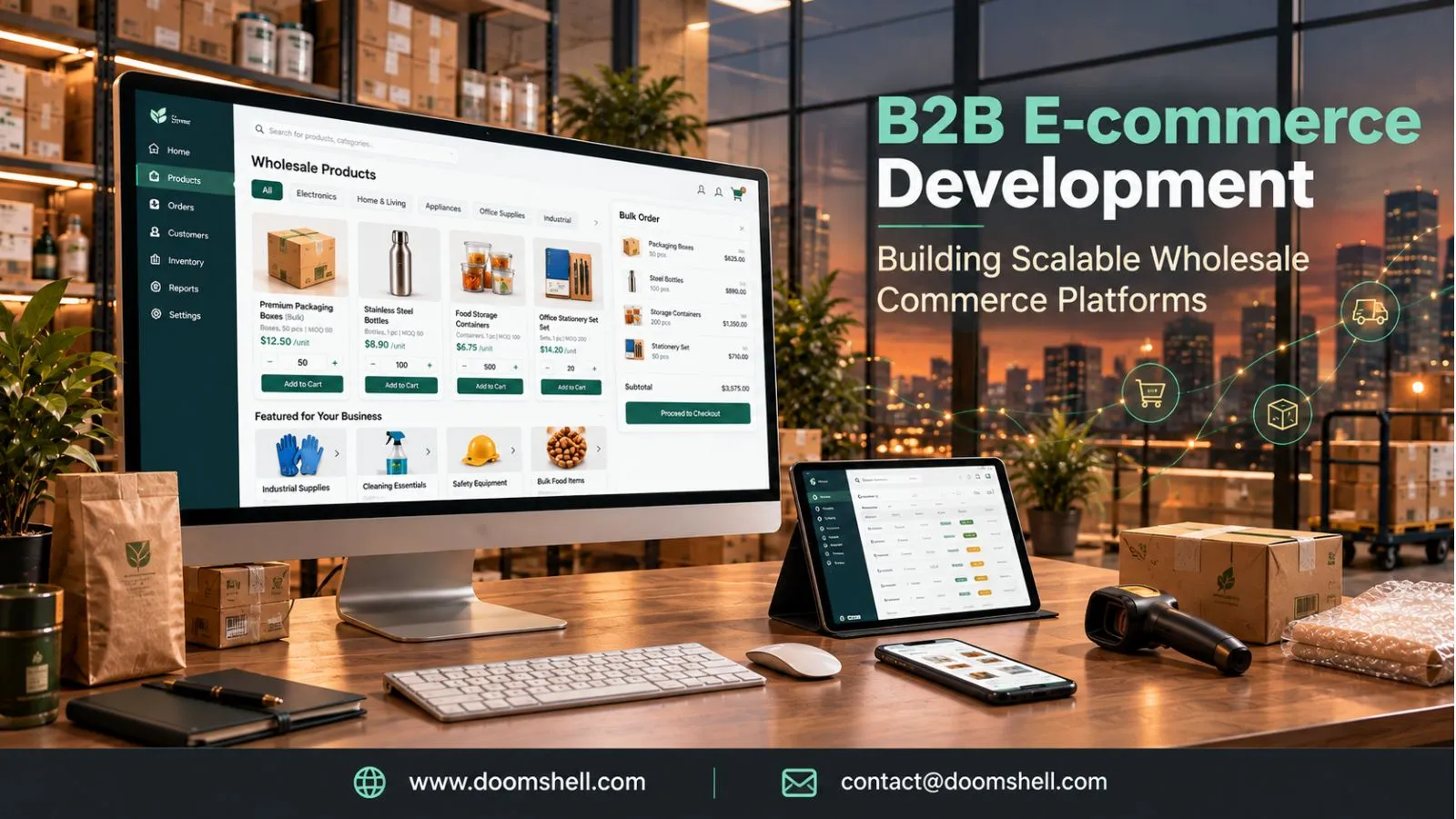
Shopify store development helps direct-to-consumer (D2C) brands build online stores that combine product discovery, smooth checkout, secure payments, and efficient store management. A successful store must do more than display products; it should guide visitors from their first interaction to a completed purchase. Businesses working with a Shopify development company in India can build customized storefronts that support their products, customers, and operational needs. In 2026, mobile-first shopping, personalized product discovery, faster checkout, and connected commerce systems are increasingly important. Therefore, brands should focus on usability, performance, and a consistent shopping journey when planning their e-commerce websites.
Creating a Strong Foundation for a D2C Store
A strong D2C store begins with a clear structure. Customers should be able to understand the brand, explore product categories, compare options, and find important information without unnecessary effort. Shopify provides themes, product management features, and customization options that help businesses establish this foundation. However, the store structure should reflect the actual buying behavior of its target audience.
Designing Product Collections and Navigation With Shopify
Product collections organize a store into meaningful categories, making it easier for visitors to discover relevant products. A fashion brand, for example, may organize collections by clothing type, occasion, season, or audience. A beauty store may use categories such as skincare, haircare, ingredients, and product concerns.
Shopify allows merchants to create manual and automated collections. Automated collections can group products according to conditions such as tags, product type, price, or vendor. This helps stores manage expanding catalogs without manually updating every category.
Navigation should remain simple and predictable. Main menus can highlight important collections, bestsellers, new arrivals, and customer support information. Descriptive category names are generally more useful than creative labels that customers may not understand.
Search and filtering also improve product discovery. Filters for size, colour, price, availability, and product type help customers narrow down large catalogs. A well-planned structure reduces browsing effort and makes the shopping experience more convenient.
Building Mobile-First Shopping Experiences
Mobile-first design is essential because many customers discover products and complete purchases through smartphones. A store that looks attractive on a desktop but performs poorly on smaller screens can lose potential customers. Therefore, Shopify storefronts should be designed and tested for mobile usability from the beginning.
Responsive themes adjust layouts to different screen sizes. However, responsive design alone is not enough. Buttons should be easy to tap, text should remain readable, product images should load efficiently, and menus should work smoothly on touchscreens.
The mobile product journey should also minimize unnecessary steps. Customers should be able to view product details, select variants, add items to their cart, and access checkout without excessive scrolling or confusing navigation.
Brands should test important pages across different devices and browsers. Mobile performance, image sizing, layout shifts, and interactive elements all affect usability. A consistent experience across mobile, tablet, and desktop helps customers shop with confidence.
Creating Conversion-Focused Product Pages
Product pages play a major role in purchase decisions. They should answer customer questions clearly and provide enough information to evaluate a product. Each page should include a descriptive product title, useful images, pricing, availability, product specifications, and a visible call to action.
High-quality product photography helps customers understand details that may be difficult to communicate through text. Multiple images, close-up views, lifestyle photographs, and product demonstration videos can provide additional context. Image optimization is important because large media files can slow down page loading.
Product descriptions should explain benefits, materials, dimensions, usage instructions, and other relevant details. They should be specific rather than relying on generic promotional language. Customer reviews, ratings, delivery information, and return policies can also address common purchase concerns.
For products with multiple options, variant selection should be clear. Customers need to understand available sizes, colours, quantities, or configurations before adding an item to their cart. A focused product page helps reduce uncertainty and supports better conversion opportunities.
Improving the Shopping Journey With Shopify
A well-designed storefront should make every step of shopping feel straightforward. From product discovery to payment confirmation, customers should receive clear information and useful interactions. Shopify features, apps, and custom development can help brands improve these stages while keeping the experience consistent.
Personalized Product Recommendations
Personalization helps customers discover products that match their interests and shopping needs. A store can display related products, complementary items, recently viewed products, or recommendations based on browsing and purchase activity.
For example, a customer viewing a camera may find compatible lenses, memory cards, or protective accessories. A skincare store may recommend products that complement an item already in the cart. These suggestions can improve product discovery and encourage relevant additional purchases.
Recommendations should be useful rather than excessive. Showing too many unrelated products can distract customers and make the page difficult to navigate. Brands should consider product relationships, customer preferences, inventory availability, and shopping context when designing recommendation sections.
In 2026, AI-assisted shopping experiences are becoming more visible across e-commerce. Shopify's coverage of customer experience trends highlights AI's growing role in product discovery and shopping assistance. This makes accurate product information and well-organized catalog data increasingly valuable.
Faster Cart and Checkout Experiences
A complicated checkout process can interrupt purchase intent. Customers may abandon their carts when they face unexpected costs, confusing forms, limited payment options, or unnecessary steps. Shopify checkout optimization focuses on making the final purchase process clear, reliable, and convenient.
The cart should display product names, selected variants, quantities, prices, and applicable discounts. Customers should be able to update quantities or remove products without difficulty. Delivery charges, taxes, and other costs should be communicated as early as practical to avoid surprises.
Shopify supports checkout features and accelerated payment options, depending on the store's plan, configuration, and market. Shop Pay can help eligible customers complete purchases with saved information. Shopify also announced improvements in October 2026 that support faster checkout and cart synchronization across devices for Shop users.
Businesses should test the complete checkout journey, including payment failures, discount codes, shipping calculations, and confirmation messages. A smooth checkout builds trust and helps customers complete orders with fewer interruptions.
Real-Time Inventory and Product Availability
Accurate inventory information is important for both customer experience and store operations. Customers need to know whether a product is available before placing an order. Incorrect stock information can lead to cancelled orders, delayed deliveries, and avoidable support requests.
Shopify provides inventory management features that allow merchants to track stock quantities and manage inventory across supported locations. Product availability can be updated as orders are placed, stock is received, or inventory is adjusted. For businesses selling through multiple channels, inventory synchronization helps maintain more consistent records.
Stores with large catalogs or complex operations may need additional integrations. Inventory systems can connect online orders with warehouses, physical stores, or enterprise platforms. Businesses should define how stock updates are handled, how overselling is prevented, and what happens when a product becomes unavailable.
Low-stock alerts and clear product availability messages can also support better planning. Reliable inventory data helps customers make informed decisions while enabling teams to manage fulfilment more efficiently.
Connecting Your Store With the E-commerce Ecosystem
An online store rarely operates independently. Payment providers, shipping platforms, customer relationship management tools, accounting applications, and inventory systems all contribute to e-commerce operations. Shopify integrations connect these services and help reduce manual work. The right integration strategy depends on business size, order volume, regional requirements, and existing software.
Shopify Integration With Payment and Shipping Platforms
Payment and shipping integrations are essential for completing and fulfilling online orders. Payment gateways allow customers to pay using supported methods, while shipping integrations help businesses calculate delivery charges, generate labels, and manage shipment updates.
Payment options should match the target market. Depending on location and eligibility, a store may support cards, wallets, local payment methods, or other providers. Businesses must review transaction fees, settlement timelines, supported currencies, refund processes, and security requirements before choosing a payment solution.
Shipping integrations can connect the store with courier services and fulfilment partners. They may support shipping rates, label creation, tracking information, and delivery notifications. These capabilities reduce repetitive tasks and improve order visibility.
Before launch, businesses should test successful payments, failed transactions, refunds, cancellations, shipping rules, and tracking updates. A reliable connection between checkout and fulfilment helps create a more predictable customer experience.
Connecting CRM, ERP and Inventory Systems
As a D2C brand grows, managing customer and operational data across separate tools can become difficult. CRM, ERP, and inventory integrations help connect sales activity with customer service, finance, purchasing, and fulfilment processes.
A CRM system can store customer interactions, support history, and marketing preferences. This information helps teams understand customer needs and manage communication more consistently. An ERP system can connect orders with accounting, procurement, warehouse operations, and other business processes.
Inventory integrations are especially useful when products are sold through multiple channels. They can help synchronize stock levels, product information, and order status across connected platforms. However, integration rules must be planned carefully to avoid duplicate records or conflicting updates.
Businesses should identify which system owns each type of data. For example, the store may manage online product presentation while an inventory platform controls stock quantities. Clear data ownership, secure access, and reliable synchronization help keep the connected ecosystem accurate.
Using Shopify APIs for Custom Store Functionality
Shopify APIs allow developers to extend store capabilities and connect the platform with external applications. They can support custom storefront experiences, product data operations, order workflows, customer account functionality, and integrations with business systems.
The Storefront API can be used to build customized shopping experiences beyond standard theme layouts. Admin API capabilities support authorized management of store resources, while webhooks can notify external systems when supported events occur, such as order creation or product updates.
Custom functionality should solve a defined business problem. A brand may need a product configurator, a specialized ordering process, a custom subscription experience, or a connection to an internal application. Developers should select the appropriate API and permissions rather than building unnecessary complexity.
Security and maintainability are equally important. API credentials should be protected, access scopes should follow the principle of least privilege, and integrations should include error handling and monitoring. Shopify's move toward connected and API-first commerce reinforces the value of flexible integrations for evolving business needs.
Scaling an E-commerce Store for Growth
A growing store needs an architecture and operating approach that can support more products, visitors, orders, and integrations. Scaling is not limited to handling higher traffic. It also involves maintaining performance, protecting search visibility, improving operational processes, and preparing for promotional demand.
Shopify Performance Optimization for High-Traffic Stores
Store performance affects usability and the likelihood that customers will continue browsing. Slow pages, delayed interactions, and unstable layouts can make shopping frustrating, especially on mobile networks. Shopify performance optimization should therefore be part of ongoing store management.
Businesses can start by reviewing theme code, removing unused apps, compressing images, and limiting unnecessary scripts. Third-party apps may add useful features, but each additional script can affect loading and interaction performance. Store owners should evaluate whether an app provides enough value to justify its impact.
Performance testing should cover important templates, including the homepage, collection pages, product pages, and cart. Core Web Vitals provide useful measures of loading performance, responsiveness, and visual stability. Teams should monitor these indicators over time instead of relying only on a single speed test.
High-traffic events also require preparation. Brands should review promotional landing pages, inventory levels, app dependencies, checkout settings, and customer support processes before major campaigns. Shopify manages much of the underlying hosted infrastructure, but merchants remain responsible for their theme, integrations, content, and operational readiness.
SEO-Friendly Store Architecture
SEO-friendly architecture helps search engines understand a store's products, categories, and content. A clear hierarchy also makes it easier for customers to browse. Shopify provides standard SEO features, but store owners still need to manage page structure, content quality, metadata, and technical details.
Collection pages should target meaningful product categories, while product pages should use descriptive titles and unique descriptions. Meta titles and descriptions should accurately explain page content and encourage relevant clicks. Image alt text should describe meaningful visual information rather than repeat keywords unnecessarily.
Internal navigation should connect related collections, products, and useful content. This helps visitors discover more information and supports search engine crawling. Businesses should also review duplicate URLs, canonical tags, redirects, and broken links, particularly after changing themes or migrating platforms.
Structured product information can improve how search engines interpret product details. Accurate pricing, availability, and product attributes are important for both traditional search and emerging AI-assisted discovery. Search optimization should focus on helping customers understand products, not simply repeating target keywords.
Managing Promotions, Product Launches and Sales Events
Promotions and product launches can generate sudden increases in visitors and orders. Without preparation, campaigns may create stock problems, confusing discounts, or customer service delays. A planned Shopify workflow helps teams coordinate marketing activity with store operations.
Before a campaign, businesses should verify product listings, prices, discount rules, landing pages, inventory quantities, and shipping settings. Discount combinations should be tested to ensure that customers receive the intended offer. Teams should also prepare clear information about campaign dates, exclusions, and return conditions.
For product launches, stores can use dedicated landing pages, launch announcements, email campaigns, and carefully timed product availability. Early access or limited releases may require additional checks around customer eligibility and inventory allocation.
After each event, teams should review sales, conversion rates, average order value, cart abandonment, traffic sources, and product performance. These insights can help identify what worked and where the shopping journey needs improvement. Consistent measurement turns individual campaigns into useful learning opportunities for future growth.
A high-converting Shopify store is built through continuous improvement. Clear navigation, mobile usability, informative product pages, relevant personalization, fast checkout, and dependable integrations all contribute to a better customer journey. As customer expectations and commerce technology evolve, D2C brands should keep reviewing store performance and adapting their digital strategy.
Doomshell's Shopify Development Expertise
Doomshell helps businesses build and improve Shopify stores through custom development, responsive theme design, store migration, app development, and third-party integrations. Its team focuses on creating secure, scalable, and conversion-focused e-commerce experiences that align with business goals. As an IT company, Doomshell supports brands with Shopify customization, performance optimization, and ongoing store maintenance. Businesses looking for a reliable Shopify development company in India can explore solutions designed to support their online growth.